
Paper tickets work until they do not. Here is how to tell whether a kitchen display would help your pass.
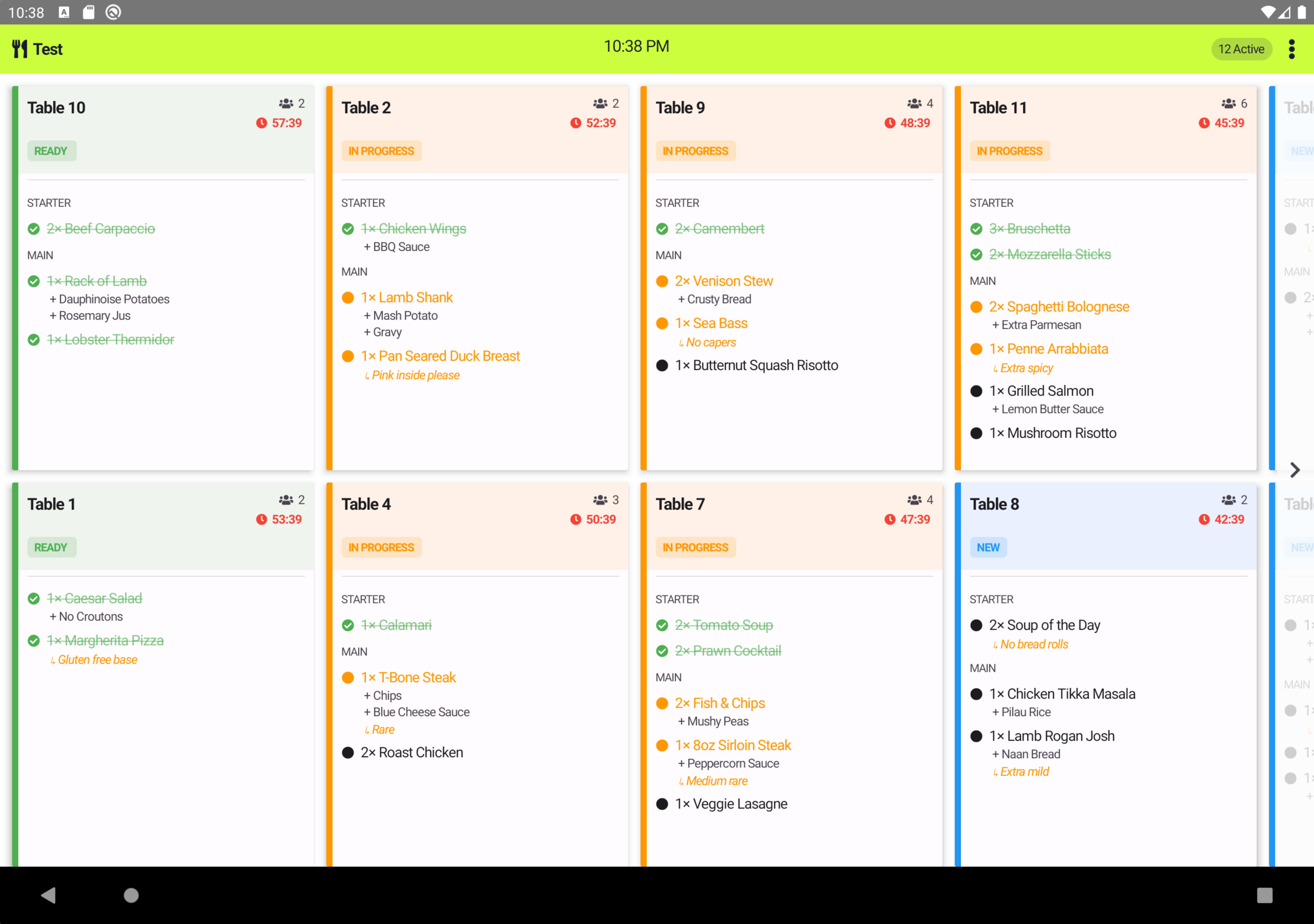
Printed tickets are simple, and for a small kitchen they can be enough. A kitchen display system (KDS) starts to earn its place when orders get busier, more complicated or come from more than one place.
A kitchen display shows incoming orders on a screen at the pass, so the kitchen can see what to prepare and in what order. When it integrates with your POS, orders route to the kitchen in real time, which reduces errors and helps speed up service.
Screen size matters in a hot, busy kitchen. Trackory's Penguin 1 series comes in 15.6 inch and 21.5 inch sizes, with a PoE option for clean cable management. Check that the display connects directly to your POS rather than working as a separate system.
Penguin 1 is available on request, so speak to the team about timing.
See the full range on our hardware page, or look at how the platform handles table, bar and kitchen service on our hospitality POS page. Talk to the team if you want help deciding.
Sales, payments, stock, routes and reporting from one connected platform. Start with EPOS. Grow into more.